
How Broadcast License Logging Works
Once your church has purchased a Watchfire Music (WFM) Broadcast License, we simply ask you to keep a short log of the WFM music you include in each broadcast service. This helps us report usage accurately so artists and rights holders receive the royalties they are owed.
Logging Reminder
If your church uses Watchfire Music under a Broadcast License in livestreamed, recorded, Zoom, or hybrid services, please remember to log each service in which licensed WFM music is used. Reporting should be completed after each service in your Broadcast License subscriber pages so your usage is accurately documented.
Where to find the log after purchase
After your license is active and you’re logged in to your WFM account:
- Go to My Account → My Subscriptions
- Click Broadcast License Access
- Click Performance Reporting
Back to WFM Broadcast License Overview
Back to Broadcast License Plans
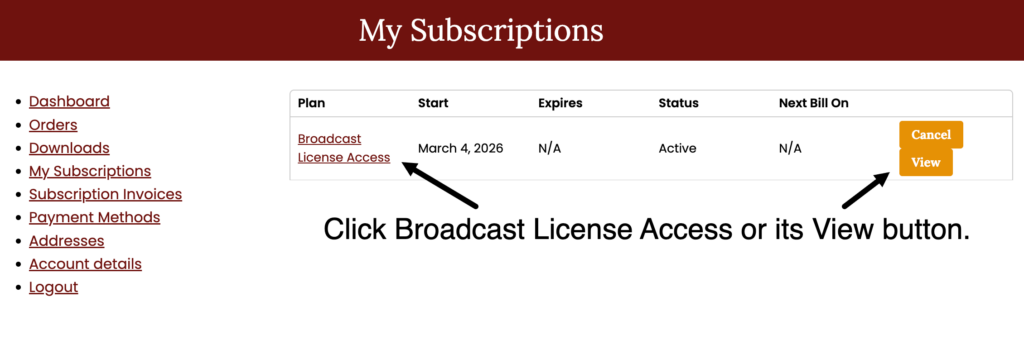
Step 1 — Log in and go to My Account → My Subscriptions → Click Broadcast License Access
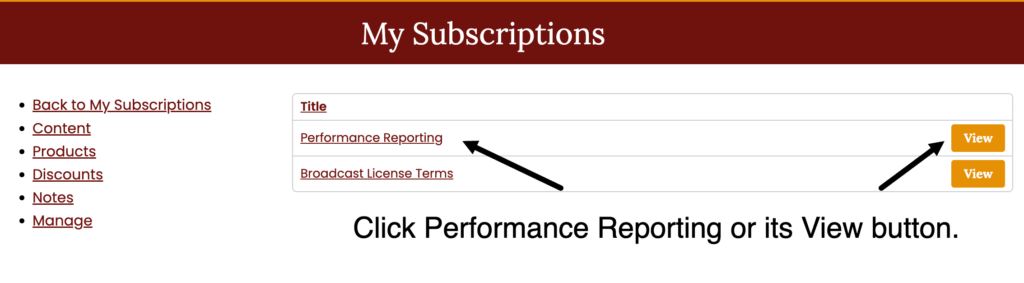
Step 2 — Click Performance Reporting to view the Log a Service form (see below)
Simple service log
The log is quick and straightforward. After each broadcast service that includes WFM music, you’ll simply complete a short service log with:
- the service date
- the platform used (Zoom, livestream, etc.)
- estimated online viewers
- the Watchfire product link (URL) for each WFM piece used
A time-saver tip
If you prefer, you can bookmark the logging page in your browser for easy access.
(You will still need to be logged in to submit the form.)
How long it takes
Most churches find this takes about 5 minutes per week.
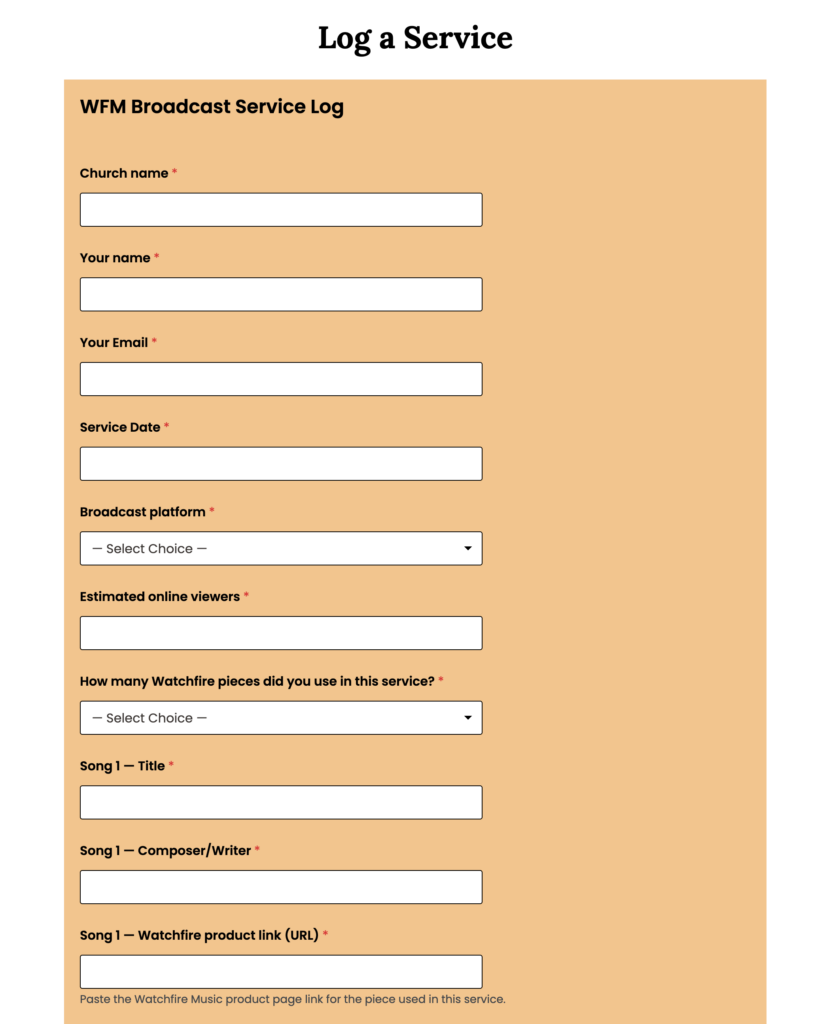
Complete the short service log and click Submit. Most churches finish in about 5 minutes.
That’s it — submit the form and you’re done. Most churches complete this in just a few minutes per week.
Why this helps
This simple service log helps Watchfire Music ensure that composers, artists, and publishers receive the royalties they deserve.
This type of usage tracking is standard for performance and broadcast licensing. By letting us know which works were performed or played in your services, we can accurately report usage and support the artists who create this music.
Quick tip: Find the piece on Watchfire Music, copy the product link (URL), paste it into the log, then click Submit.
We appreciate your help in supporting the artists who bless church services with their music.
